A live picture of every site
See site health, topology and device inventory together. Alerts highlight offline devices, port changes and newly discovered equipment.

Monitor, document and manage every network from one place. SPARK brings live topology, device records, credentials and remote access together for MSPs and in-house IT teams.
Monitoring, documentation, remote access and service work share one console, so the network record stays alongside the work your team delivers.
Deploy a collector, choose the subnets and scan profile, and connect supported controllers. CDP, LLDP, SNMP and vendor APIs build the network view.
Keep device details, credentials and port-level cabling together. Save the live view as an editable diagram and export the device grid to CSV.
Open supported remote sessions from the device record, run supported controller actions and use NOVA with approval before changes.
Connect tickets, visits, maintenance and time tracking to the site record. MSPs can produce branded client maintenance reports.
See site health, topology and device inventory together. Alerts highlight offline devices, port changes and newly discovered equipment.
Use the spreadsheet-style device grid, multi-page manual diagrams and port-level cabling. A device-linked encrypted vault keeps credentials alongside the record.
Reach supported devices through per-site WireGuard access, using protocols including SSH, RDP, HTTPS and VNC. Supported controller actions and the audit log keep work connected to the device.
Bring tickets, visits, maintenance and time tracking into the same console. MSP workflows include client billables, branded reports and a client portal with your own branding and custom domain.
Plug in a pre-programmed SPARK Box or use the supplied collector image on your own hardware. Enrol it with a site code, then choose the permitted subnets and scan profile.
Discovery is read-only and reporting uses a signed, outbound-only encrypted channel, with no inbound firewall rules. Device actions run separately when requested. Scan rates can be adjusted for OT, AV and building-control networks.
Read the SPARK product guide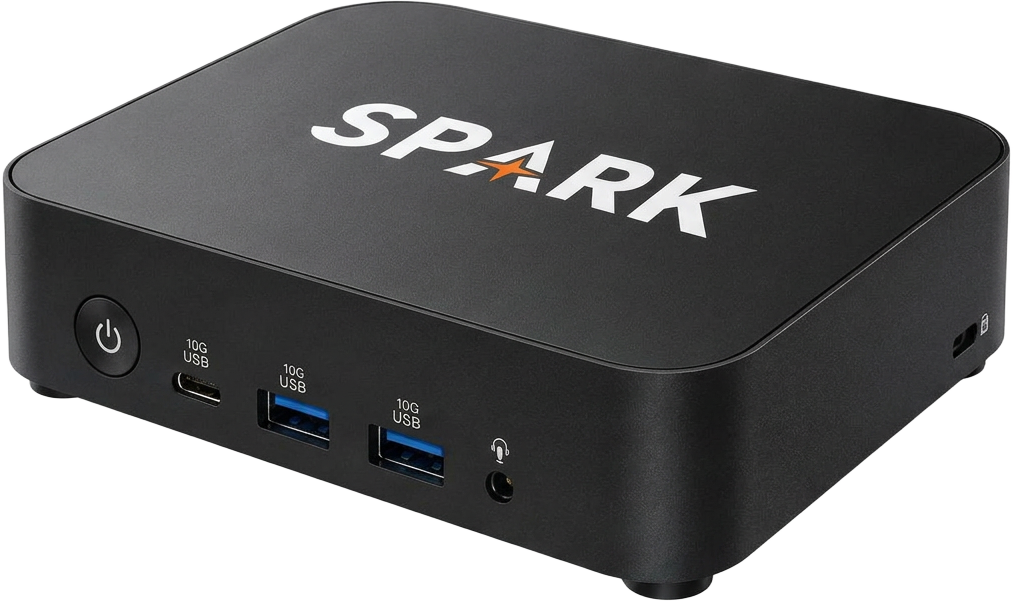
SPARK lists Meraki device sync, status, uplinks, topology and reboot as live. UniFi connects through a direct console or the Site Manager API. Map controller networks to sites and correlate devices by MAC address.
Fortinet, Cisco Catalyst, Peplink, Teltonika, Crestron and Lutron are listed as configurable connectors; their sync availability rolls out separately. Protocol-compatible equipment can contribute to discovery without a dedicated controller integration. Check current support with SPARK for your environment.
SPARK’s assistant supports device work with a drive mode that asks before making changes. Scheduled configuration backups and side-by-side change diffs help your team review what changed.
Controller credentials are encrypted and used server-side. Device-linked vault entries are encrypted, credential views are logged, and supported remote actions connect to an audit trail. Remote access can be enabled or disabled per site.
See the workflow with your sites, controllers and service requirements in mind. Speak with SPARK about a demo or ask YOT about your wider equipment requirements.